- Choose your top three. Keep the rest for later.
Choose your
top three.
Start one.
Track your time.
The rest can wait.
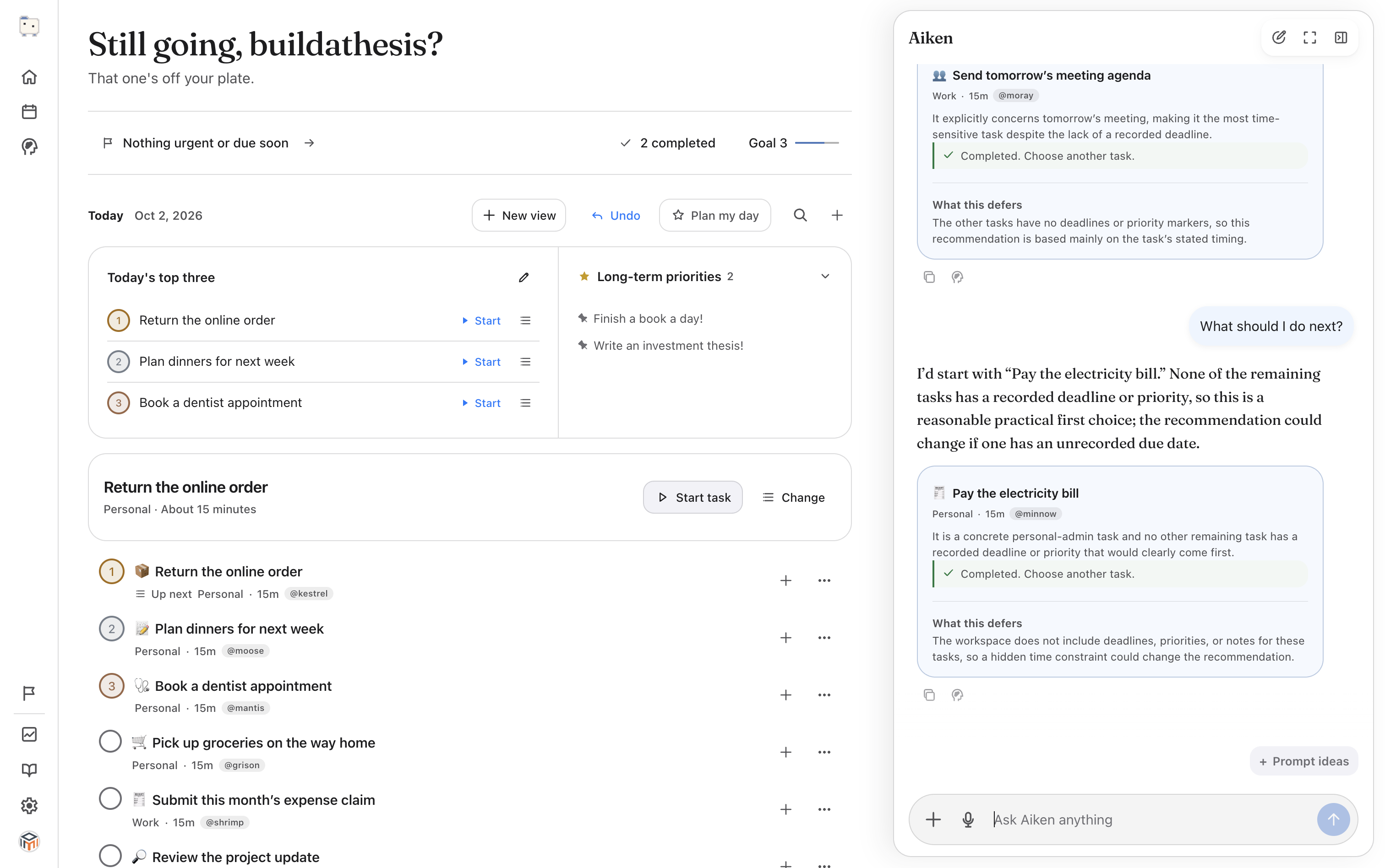
Not sure where to begin?
Ask Aiken.
Share your deadlines and available time. Aiken suggests a task and explains why.
Say “Not now,” or ask for a smaller first step. It’s your call.

Start with the client proposal. You have enough time for a focused review before tomorrow’s deadline.
A morning with Aiken. 40 seconds.
What are your top three?
Choose up to three priorities. Keep everything else for later.
Settle into one task.
Start a task, track your time, and pause when you need a break.
Have the next task ready.
Choose what comes next, so finishing one task doesn’t mean searching your list again.
Bring the
messy version.
Turn a note or photo into tasks. Check what Aiken adds and undo any changes you don’t want.
Explore capture →Plan for the time you have.
Drag tasks and reminders onto your calendar. Review and adjust any plan Aiken suggests.
Give a reminder a place in your afternoon.
Leave out a task or change its scheduled time before applying the plan.
Explore Plan My Day →Start with something small.
Turn “Finish the proposal” into “Write three bullets for the scope.” Edit Aiken’s first step before adding it.
Explore Help Me Start →
A little less
explaining next time.
Prefer admin tasks after lunch? Use “Learn from this” to save a working preference. Review it before saving.
See how Aiken learns →Know where your work goes.
Export a workspace backup from Settings. See what’s stored and what’s sent for AI processing.
Before you start
The full walkthrough →Do I need to move my entire task list?
No. Start with a few tasks you’re deciding between. You can add more when you’re ready, or preview a CSV import.
Can I focus without chatting with AI?
Yes. Choose your top three, start a task and its timer, and arrange your next-task queue yourself. Ask Aiken when you want help deciding or getting started.
Does Aiken decide for me?
Aiken recommends a next move and explains the trade-off. You can start it, say “Not now,” or ask for help. You can review proposed plans and undo tasks Aiken adds.
Do I need an account?
You can start a task list on this device. Sign in for AI help and account sync.
What does Aiken remember?
You choose working preferences to save through “Learn from this.” Review the proposed memory before accepting it.
Can I take my work with me?
Export a workspace backup from Settings. For details on local storage, account sync, and AI processing, read about data handling.