
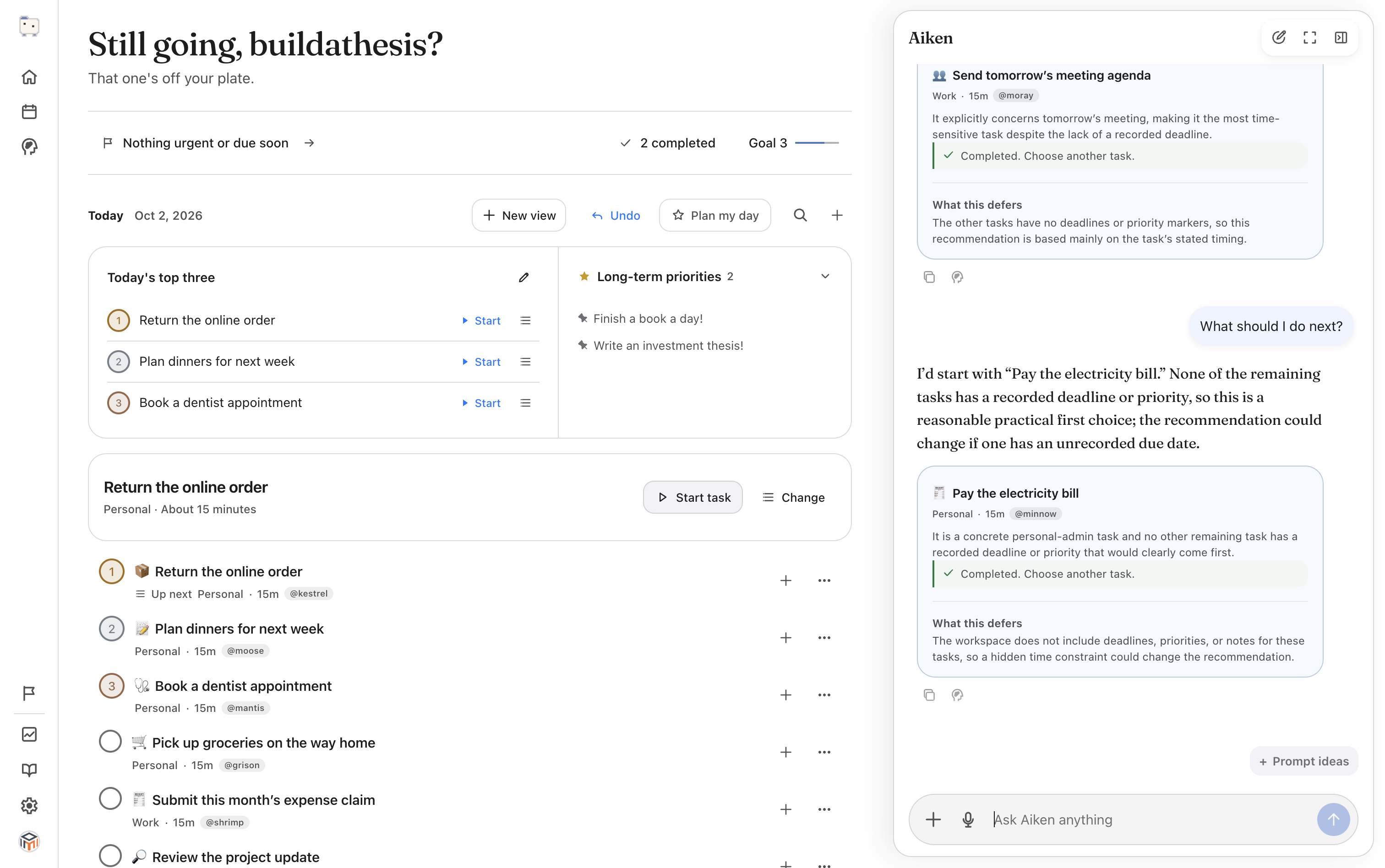
Who does what
Your AI app does the reading. ChatGPT or Claude reaches your email, calendar or course site through connectors you set up in that app. AikenDewit never connects to Gmail, Google Calendar, Apple Calendar or Canvas, and never sees what’s in them.
AikenDewit keeps the record. Through AikenDewit’s MCP server, your AI app adds tasks with due dates, notes and steps, sets today’s Top 3 and puts work blocks on AikenDewit’s calendar.
You stay in charge. Every task is in your AikenDewit list, where you can change it by hand, and you can undo any change the AI app made.
Why keep the list in a task app
A chat is a good place to talk a plan through, but it isn’t a list you can sort, tick off or come back to next week. In AikenDewit, each task keeps its due date, time estimate, notes and steps between conversations, and you can see all of it without asking.
Your connected apps all work from the same list. So does Aiken, the assistant built into AikenDewit.
Set it up once
Connect ChatGPT, Claude or Codex
- AikenDewit is connected to your ChatGPT or Claude. It takes a link and a sign-in.
- Can edit tasks is on for that app in AikenDewit, under Settings → Connectors. Without it, the app can read your tasks but can’t change them.
- In your AI app, connect the sources you want it to read, such as your email, calendar or course site. Those connections are between you and that app.
- In AikenDewit, add a few long-term priorities above your task list, and pin the ones that matter most. Your AI app reads them when it plans your day.
Four routines to start with
Each guide gives you one prompt to paste and explains what your AI app reads and changes. Every prompt asks it to show you the changes first and make them when you say yes.
Morning sweep: turn email, calendar and courses into tasks
Plan my day: Top 3 and work blocks
A first question to try
This one only reads your list, so it works before you turn on editing.
Look at my AikenDewit plan, my long-term priorities and what’s due soon. What should I work on right now, and why?
Habits that make it work
- Ask to see changes before they’re made. A wrong guess then costs you a reply, not a clean-up.
- Put steps in subtasks and keep notes short. Two to six concrete steps make a task easier to start than a long note does.
- Give tasks a time estimate. A work block uses it when you don’t say when to stop.
- Say “undo that” when a change is wrong. Each change can be reversed, unless you’ve edited that task since.
- AikenDewit’s calendar holds only its own work blocks and blocked time. Ask your AI app to check your other calendar too before it fills a day.
- In AikenDewit, Settings → Tips has every prompt from these guides with a Copy button.
Questions about an AI secretary
- Can ChatGPT or Claude be my personal assistant for tasks?
- Yes, once it has a list to work on. Connect it to AikenDewit and turn on Can edit tasks, and it can add, update, complete and schedule your tasks. It reads your email or calendar only through connectors you’ve set up in ChatGPT or Claude.
- Does AikenDewit read my Gmail or Google Calendar?
- No. AikenDewit never connects to Gmail, Google Calendar, Apple Calendar or Canvas. Your AI app reads those through its own connectors, and only the tasks and work blocks it writes reach AikenDewit.
- Can the AI app change my tasks without asking?
- Only if you turn on Can edit tasks for it. A new connection can read but not change anything. The prompts in these guides ask it to show you changes first, and any change can be undone unless you’ve edited the task since.
- Which AI apps can I use?
- ChatGPT, Claude, Codex and Claude Code can connect to AikenDewit’s MCP server. Your ChatGPT account and workspace settings decide whether custom MCP servers are available to you.
- What does it cost?
- AikenDewit is free during early access. Your AI app and its own connectors come under that app’s plan.